By MICKLE AUDIO · 2026-10-08 · Updated 2026-10-12
A closer look at the TT CON 8
Digital mixing can place many functions inside a compact system. For an operator, however, the experience also depends on how easily those functions can be reached. The AMIXS TT CON 8 introduces a front-panel design centered on physical faders, dedicated keys and clearly separated control areas.
This product preview takes a closer look at the supplied rendering. It describes the visible layout rather than presenting a final technical specification.
Eight channel faders and a separate master
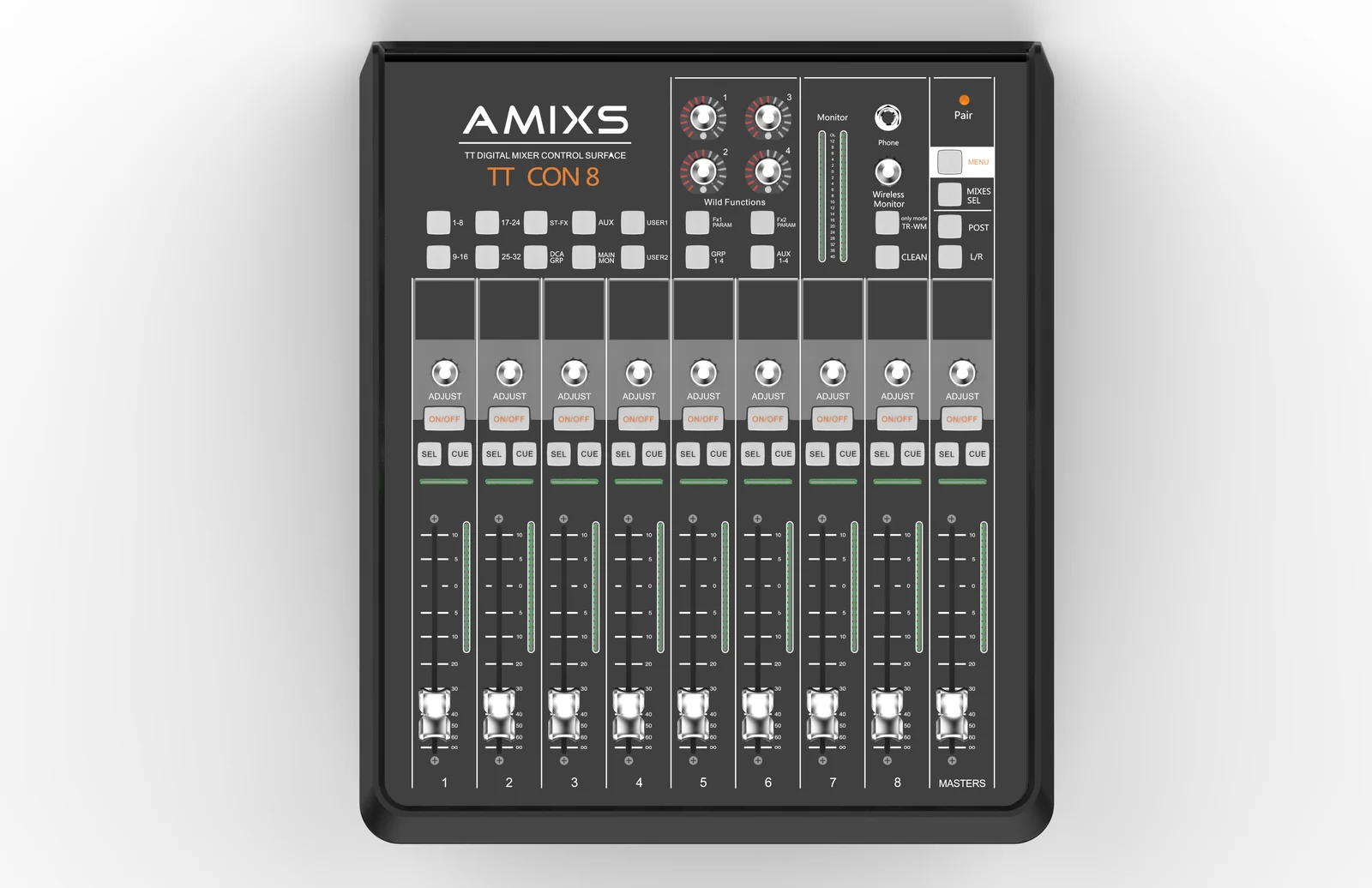
The TT CON 8 layout features eight numbered channel faders and a ninth fader labeled MASTERS. Above each fader are an ADJUST rotary control, an ON/OFF key, SEL and CUE keys, and an individual display area.
That repeated arrangement puts the same group of controls in a consistent position across the surface. For buyers comparing physical interfaces, it is worth considering whether this style of channel strip fits their preferred operating workflow.
Fader travel, motorization, display specifications and the exact assignments of these controls should be checked against the final product documentation.
Bank keys for navigating the mixing system
The upper section includes keys labeled 1–8, 9–16, 17–24 and 25–32. Additional labels include ST-FX, AUX, DCA GRP, MAIN MON and USER selections.
The layout presents bank and mix-selection controls above the fader section, separating navigation from individual channel adjustments. Numbered bank labels describe the control layout; they do not, by themselves, establish the number of physical audio inputs available on the unit or a connected mixer.
When planning a system, confirm which mixer models can be controlled, which banks are supported and how the user selections are configured.
A dedicated monitoring area
On the upper-right side, the rendering shows a monitor meter, a headphone socket and a Wireless Monitor control. Nearby keys include MENU, MIXES SEL, POST and L/R. Four numbered rotary controls and additional function keys occupy the adjacent section.
Grouping these elements separately from the faders gives the surface a distinct monitoring and function-control area. The connection method and supported features of the Wireless Monitor section still require confirmation; its panel label is not a specification for range, latency or wireless protocol.
A control surface is one part of the system
The TT CON 8 is identified on its panel as a digital mixer control surface. Buyers should therefore evaluate it together with the mixing system it is intended to operate, rather than assume it is a standalone mixer with onboard microphone inputs.
Before requesting a quotation, prepare the mixer model, required control functions, connection requirements and intended application. This helps establish whether the complete setup matches the project.
The following app screenshots provide a companion view of the software interface supplied by MICKLE AUDIO. Compatibility with the TT CON 8 and its connected mixer needs to be confirmed for the intended system.
Digital mixer app: EQ and high-pass filter view
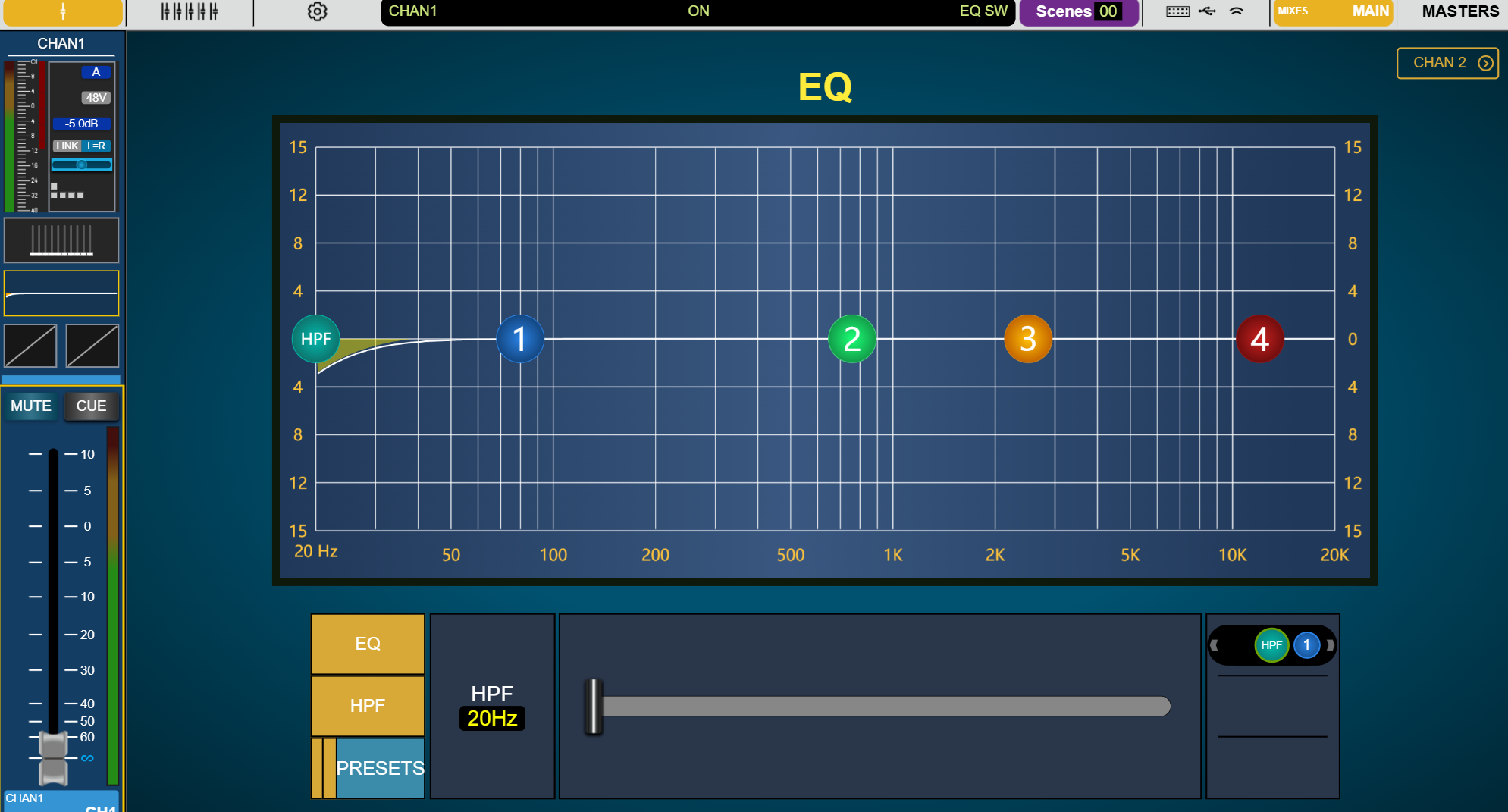
The EQ screenshot shows a frequency-response graph, four numbered EQ band controls and a separate HPF control. The selected channel strip remains visible on the left, including its level indication, fader, MUTE and CUE controls. Channel navigation and a Scenes indicator appear across the top of the interface.
A graphical view gives operators a way to see the displayed EQ curve alongside the channel controls. When evaluating the complete mixing system, ask how software adjustments correspond to the hardware controls and displays.
Digital mixer app: compressor view
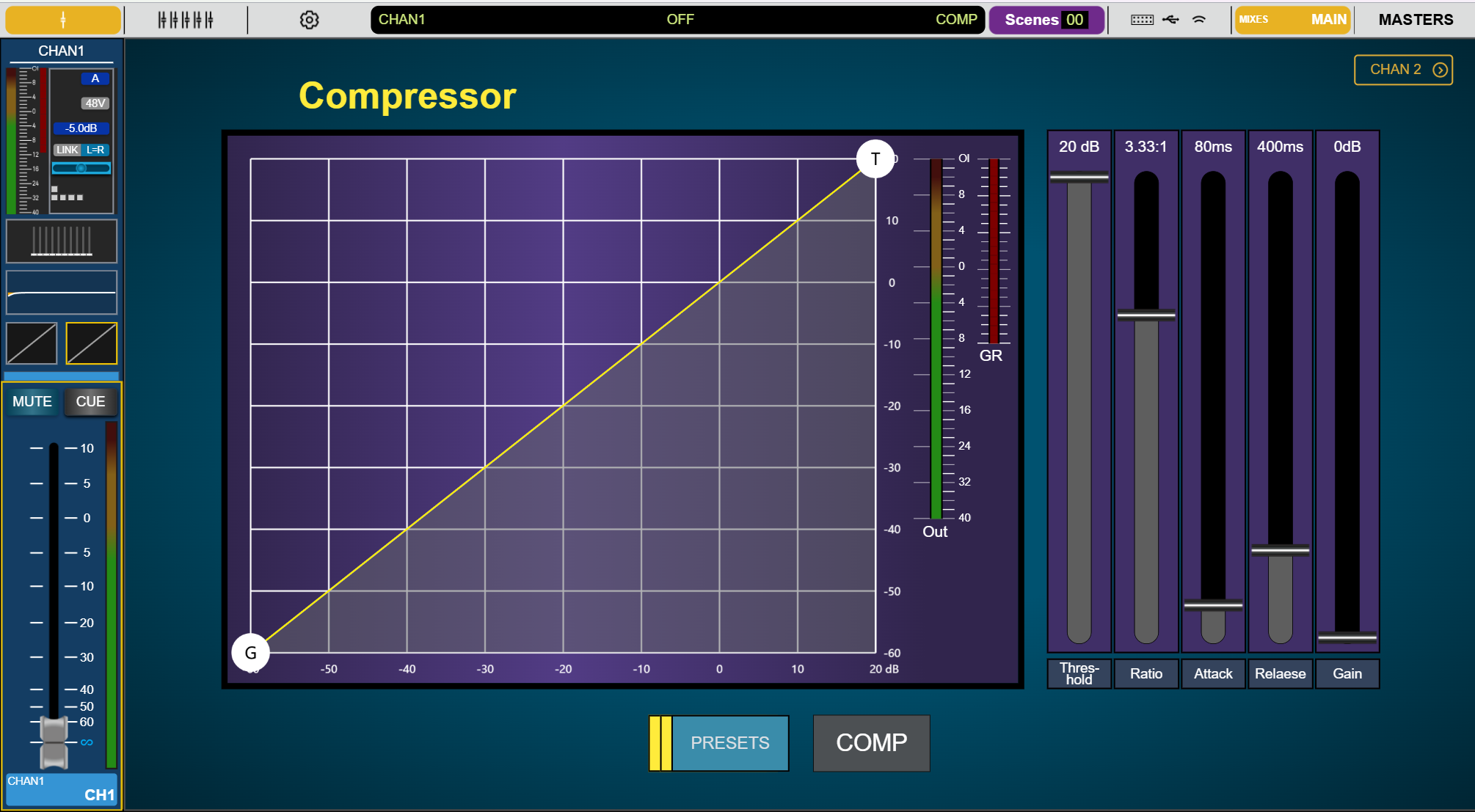
The compressor screenshot brings the response graph together with Out and GR meter areas. Five controls are labeled Threshold, Ratio, Attack, Release and Gain, with COMP and PRESETS buttons below.
These screenshots illustrate the software layout; they are not a full processing specification or a confirmation that both previewed products support every function shown. The displayed numbers are screenshot values, not stated parameter limits, factory defaults or recommended settings. Supported functions, control synchronization and app requirements should be verified with the relevant mixer documentation.
Ask about the TT CON 8
Contact MICKLE AUDIO for the latest AMIXS TT CON 8 documentation, compatibility information and availability. Include your existing mixing equipment, destination market and required quantity so the team can respond to the actual system requirements. Email amixs@mickle.cn or use the inquiry link below to prepare your request.